At a glance
Notes, AI answers and exports lived in different places, so context was lost every session.
Lead UX/UI designer: research, system design and all four capabilities.
~4 hours of manual prep removed per engagement, and AI insights now persist on the profile.
4
Separate pain points unified into one design system
~4h
Manual prep time per engagement eliminated
0
Context lost between Ask Genie sessions once save-to-profile shipped
Four separate pain points all pointing at the same gap
Genie knew a lot about stakeholders automatically. What it couldn't hold was what the team itself had learned: talking points, meeting notes, framing that worked.
Copying notes required manual selection every time
One account spent ~4 hours rebuilding context before a major meeting.
Exporting stakeholders silently dropped the Notes field
Teams pasted notes into the CSV by hand for 40+ stakeholders.
Ask Genie analysis disappeared when the session ended
The next person repeated the same query from zero.
Important media got buried in the feed
People pasted article links into notes as a workaround.
This wasn't a notes problem. It was a longitudinal intelligence problem: teams needed a durable record of what they knew, usable across the whole platform.
The same problem came back in every session just described differently
- 4 validation sessions in May 2026 (3 with clients, 1 internal). The gap came up in every one.
- A client reframed it: save AI output to the profile and watch a stakeholder's position evolve over months.
- The internal review confirmed the export gap and flagged human vs AI provenance as increasingly important.
One system, not four fixes
Instead of four adjacent features, I designed one place on the profile for everything a team knows, whether written by a person, generated by AI or curated from media.
Save an AI insight to the profile
Goal: keep AI analysis for the whole team
-
Scan the profile
Key points, issues and engagement summary
-
AI
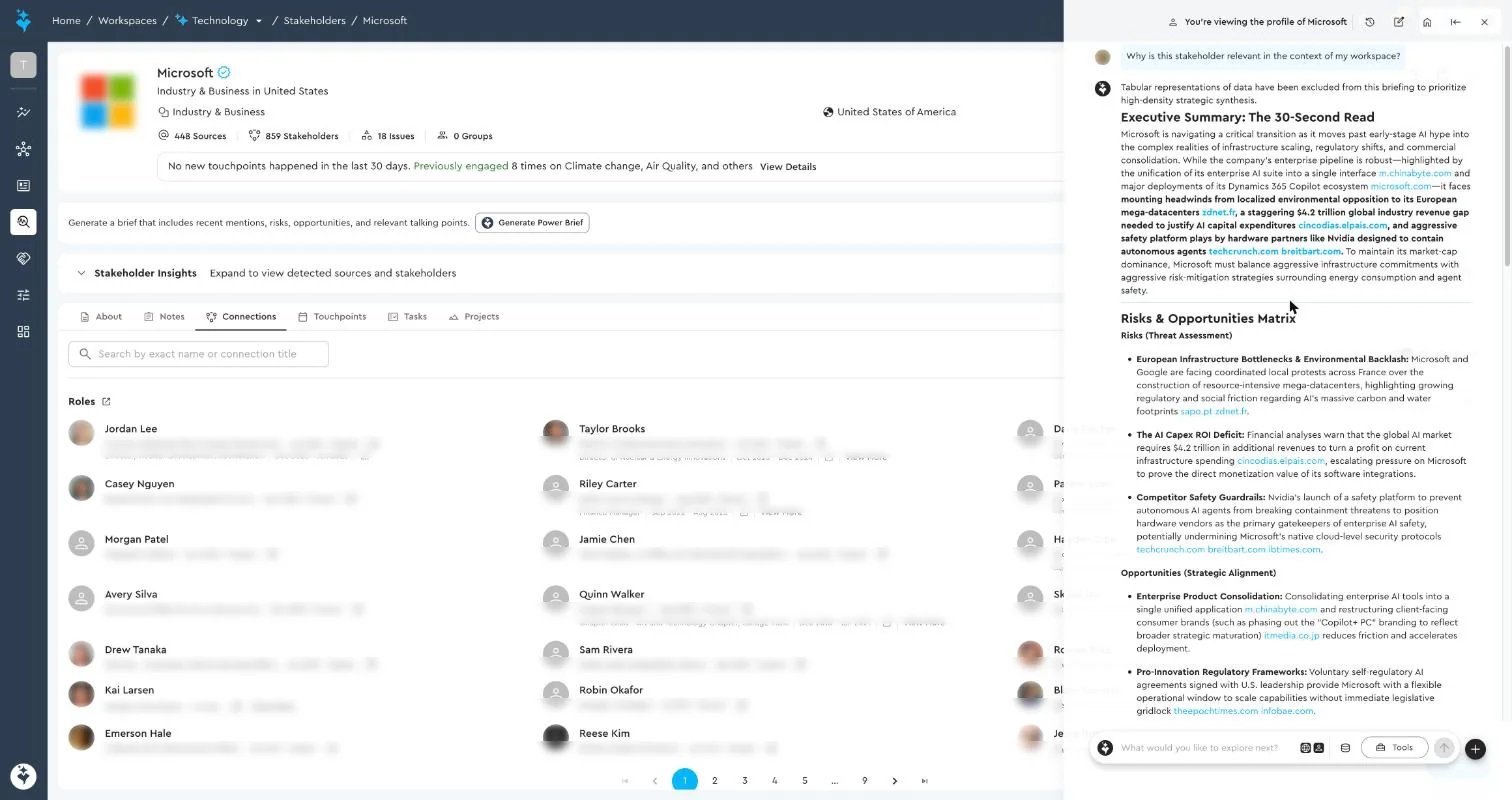
Generate a Power Brief
One click asks Genie why this stakeholder matters
-
Review cited analysis
Risks, opportunities and talking points, each with a source
-
Save to notes
A new note with an Ask Genie provenance badge and timestamp
-
Reuse anywhere
Copy in one click, export or pick up next session
Result: zero context lost between Ask Genie sessions, and a timeline of how a stakeholder's position evolves.
Export stakeholders with notes
Goal: share a briefing pack with leadership
-
Filter stakeholders
By issue, country, group or engagement
-
Tick "Notes" in export
Notes is now an optional field in the dialog
-
Download the CSV
Full notes, paragraphs kept, nothing truncated
-
Share one file
Instead of 40+ manual copy-pastes
Result: structured data and human context travel together.
- Rich text as the foundation: I reused the newsletter editor, so users got formatting, links and media with nothing new to learn.
- One-click copy as an entry point: the same pattern can extend to "send to Ask Genie", "link to touchpoint" and "link to project".
- Provenance by default: every AI-saved note shows where it came from and when.
What shipped
Rich Text Notes
Reuses the existing newsletter editor; supports formatting, links, and media embeds
One-click Copy
Copies all content including long notes and formatting; toast confirmation on success
Notes in CSV Export
Optional field in the export dialog; no silent truncation; paragraph structure preserved
Save Ask Genie to Profile
Creates a note entry with AI provenance badge and timestamp; intelligence persists across sessions
Pinned Media
Pin any media item to a dedicated surface at the top of the media section; persists across sessions
Multiple Notes per Stakeholder
Per-meeting or per-theme notes with a searchable list, now live on every profile
Screens
Screens from the live product. People, contact details and internal names are anonymised.
From a text field to a longitudinal intelligence record
"Before this, I had to jump between Ask Genie, the profile, and my own notes doc. Now it all lives in one place and I can trace where each piece of intelligence came from."
- Four workarounds became one experience: notes can be written, copied, AI-augmented, exported and traced without leaving the profile.
- The lesson I kept: the biggest wins come from IA choices that make a cluster of features feel like one system.